Airtel, one of Nigeria’s leading telecommunications providers, offers flexible and affordable data plans to help you meet your different needs.
However, knowing the best methods on how to buy data on Airtel is essential for seamless connectivity.
Whether you prefer USSD codes, online payments, or apps, this guide will walk you through all the options to help you make the best data choice. Let’s jump right into it!
TL;DR
- Airtel offers affordable and flexible data plans in Nigeria, including daily, weekly, monthly, and special bundles for different usage needs.
- Users can check available plans easily using USSD (*141#), the MyAirtel app, or Airtel’s official website.
- There are multiple ways to buy data, including bank USSD codes, the MyAirtel app, Airtel website, and trusted platforms like SnappyPay.
- SnappyPay enables instant Airtel data purchase with secure payments, fast delivery, and multi-network support (MTN, Glo, Airtel, 9mobile).
- Airtel special bundles include social, night, and streaming plans tailored to specific usage patterns.
- Proper data management (monitoring usage, optimizing settings, and using Wi-Fi) helps reduce costs and avoid running out quickly.
- Troubleshooting options and customer support are available for failed payments, delays, or activation issues.
- Overall, Airtel provides multiple convenient channels to stay connected, with SnappyPay standing out for speed, convenience, and flexibility.
Overview of Available Data Plans on Airtel
Airtel provides a variety of data plans tailored to suit your budget and usage needs, ranging from daily plans to monthly bundles and special packages. Here is a detailed breakdown of Airtel’s data options:
| Plan Type | Data | Price | Validity | Best For |
|---|---|---|---|---|
| Daily | 50MB | ₦50 | 1 Day | Quick messaging, checking emails |
| Daily | 200MB | ₦200 | 1 Day | Browsing, light streaming |
| Weekly | 1GB | ₦300 | 7 Days | Social media, browsing |
| Weekly | 1.5GB | ₦500 | 7 Days | Bigger weekly needs |
| Monthly | 1.5GB | ₦1,000 | 30 Days | Light streaming & browsing |
| Monthly | 6GB | ₦2,500 | 30 Days | Streaming, gaming, video calls |
| Monthly | 15GB | ₦5,000 | 30 Days | Work, heavy browsing, entertainment |
| Special | Social Bundles | Varies | Flexible | Facebook, WhatsApp, Instagram |
| Special | Night Browsing | Varies | Night Hours | Downloads at night |
| Special | Streaming Plans | Varies | Flexible | YouTube, Spotify, music & video |
How to Check Available Data Plans on Airtel
You can explore available data plans easily using:
- USSD Code: Dial *141# to browse Airtel’s data menu.
- MyAirtel App: Download the app from Google Play or the App Store to view data options.
- Airtel Website: Visit Airtel’s official site for updated information.
How to Buy Data on Airtel (A Step-by-Step Guide)
Purchasing Airtel data is straightforward and can be done through various methods. Here’s a step-by-step guide to help you.
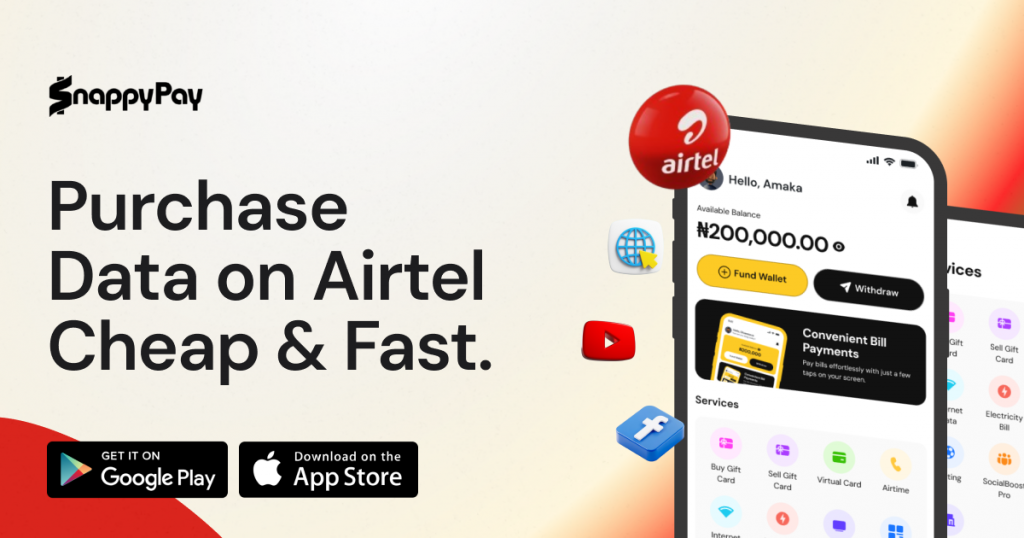
1. How to Buy Airtel Data on SnappyPay
SnappyPay makes it incredibly easy to purchase Airtel data bundles with speed, security, and convenience. Follow these steps to get started:
- Visit SnappyPay’s website
- Create a new account or log in to your existing account
- Browse the available data bundles and choose the one that fits your needs.
- Enter the Airtel number where you’d like the data bundle delivered.
- Use secure payment options like debit cards, mobile wallets, or bank transfers. Payments are processed instantly.
- Once your payment is successful, you’ll receive a confirmation message, and the data will be credited to your Airtel line immediately.
Why choose SnappyPay? Not only can you easily buy Airtel data, but you can also purchase data bundles for other networks like MTN, Glo, and 9Mobile from one platform.
2. How to Buy Data on Airtel via Bank USSD Code
You can use your bank’s USSD code to purchase Airtel data directly from your bank account. For example:
- Dial your bank’s USSD code (e.g., *737# for GTBank).
- Select the “Airtime and Data” option.
- Choose “Data” and input your Airtel number.
- Select your preferred data plan and confirm payment.
3. How to Buy Data on Airtel via MyAirtel App
The MyAirtel app provides a seamless way to buy data on Airtel. Steps include:
- Download and open the MyAirtel app.
- Log in with your Airtel number.
- Select “Buy Data.”
- Choose a data plan and make payment using the available options.
How to Buy Data on Airtel via Website
Airtel’s website allows you to buy data online by following these steps:
- Visit the Airtel Nigeria website.
- Log in or sign up for an account.
- Navigate to the “Data Plans” section.
- Select a plan, input your Airtel number, and make payment.
Tips for Managing Your Airtel Data Effectively
Managing your data efficiently ensures you get the most value for your money. Here are some tips:
- Monitor Usage: Use the MyAirtel app or dial *140# to check your data balance and track usage patterns.
- Optimize Settings: Adjust your device settings to limit background data usage and automatic updates.
- Utilize Wi-Fi: Connect to Wi-Fi networks whenever possible to conserve mobile data.
- Choose the Right Plan: Select a data plan that matches your usage habits to avoid running out prematurely.
Troubleshooting Data Purchase Issues
Encountering problems while trying to buy data on Airtel? Here are common issues and fixes:
- Payment Declined: Verify your payment details and ensure sufficient funds.
- Delayed Activation: Restart your phone and check your balance using the Airtel code to buy data (14111*0#).
- Incorrect Number: Double-check the code entered before confirming payment.
If problems persist, reach out to Airtel’s customer care by dialing 111 for assistance.
Frequently Asked Questions
1. How can I buy data on Airtel?
You can buy data on Airtel by dialing *141#, using the MyAirtel app, or purchasing through platforms like Snappypay.
2. What is the code to buy data from Airtel?
The primary code to buy data in Airtel is *141#. It gives you access to all available data plans.
3. How to buy data on Airtel online?
To buy data on Airtel online, visit Snappypay for a secure and convenient transaction.
4. Can I use a bank USSD code to buy data on Airtel?
Yes, you can use your bank’s USSD code to buy data with Airtel directly from your account.
5. How to upgrade my Airtel data plan?
To upgrade your Airtel data plan, dial *141#, select a higher plan, and confirm your purchase.
Conclusion
Buying Airtel data in Nigeria is simple with USSD codes, MyAirtel app, and reliable platforms like SnappyPay.
SnappyPay stands out for its user-friendly interface, multiple payment options, and instant activation.
![How to Transfer Data on Airtel in 2026 [All Methods]](https://cms.snappypay.ng/wp-content/uploads/2025/02/How-to-Transfer-Data-on-Airtel.jpeg)
![How to Buy Data on MTN in Nigeria [The Complete Guide]](https://cms.snappypay.ng/wp-content/uploads/2025/03/How-to-Buy-Data-on-MTN-in-Nigeria.png)