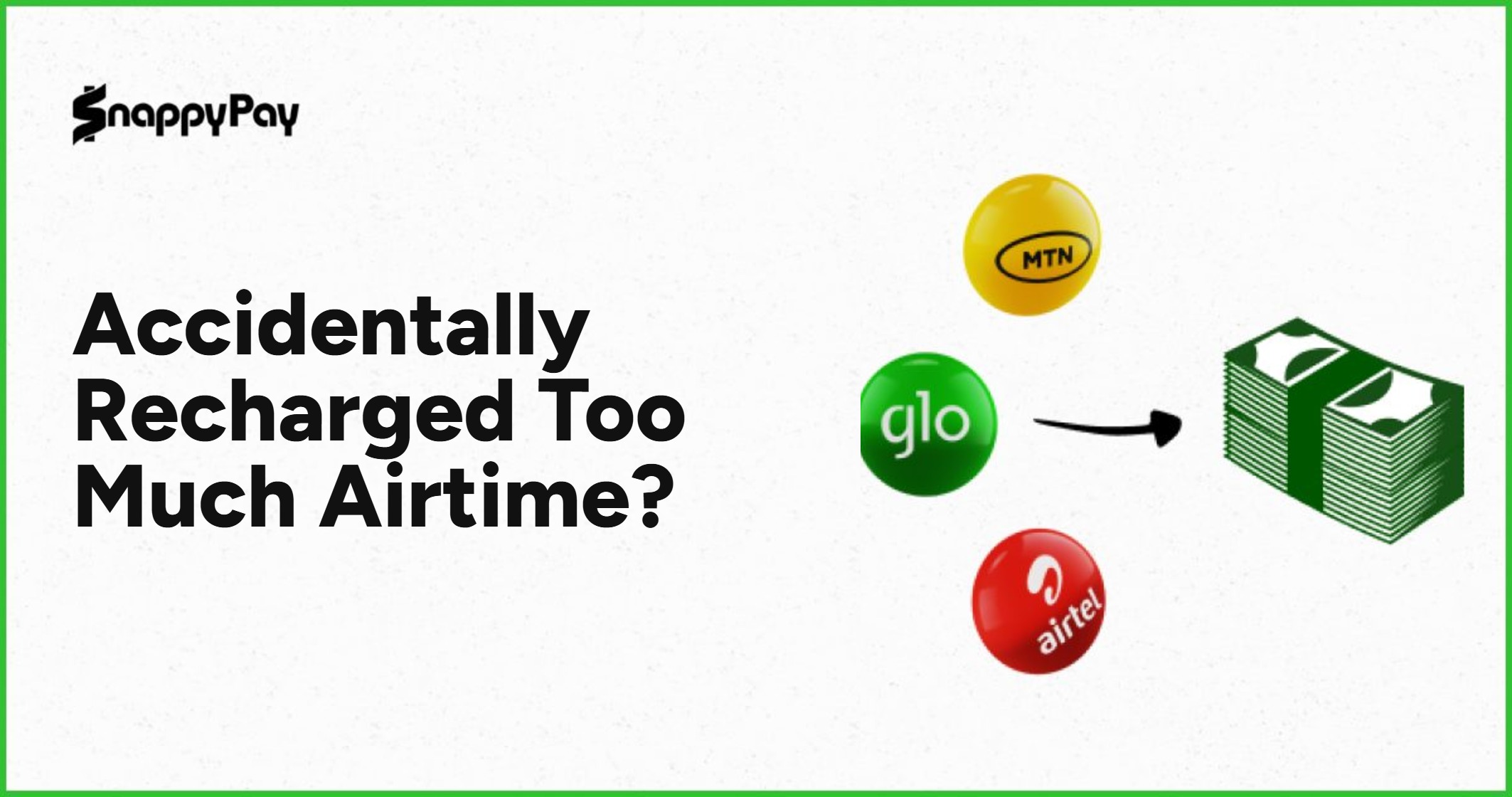
You wanted to buy ₦5,000 airtime, but somehow you entered ₦50,000. You confirmed the transaction before noticing the extra zero, and now the airtime has already entered your line.
It is the kind of mistake that can make your heart sink, especially when you needed that money for something else.
If the recharge was successful, this is different from a failed airtime transaction. The airtime is already on your line. If you do not need all of it, one practical option is to convert the excess airtime to cash using an Airtime-to-Cash service such as SnappyPay.
I Accidentally Recharged ₦50,000 Instead of ₦5,000. What Now?
First, check that the recharge was actually successful.
If your balance has increased by ₦50,000, then you have received the airtime. The problem is no longer a failed transaction. The problem is that you now have much more airtime than you intended to buy.
Using our example:
| Amount | |
|---|---|
| Airtime you wanted | ₦5,000 |
| Airtime you accidentally bought | ₦50,000 |
| Excess airtime | ₦45,000 |
You probably do not want to spend months trying to finish ₦45,000 worth of calls.
That is where Airtime to Cash becomes useful. Instead of leaving the excess airtime on your line, you can check whether the amount is eligible for conversion and see how much cash you can receive for it.
Do not rush to start making calls with the airtime if you intend to convert part of it. Work out how much you actually want to keep first.
Can Your Bank Reverse a Successful Airtime Purchase?
If the airtime has already been successfully delivered to your phone number, a normal bank reversal is generally not the same as what happens when a transaction fails.
A successful airtime purchase means your account was debited and the airtime entered the number you selected.
A failed airtime transaction is different. That is when your account is debited but the airtime does not arrive.
| What happened? | What it means |
|---|---|
| Your bank debited you and the airtime entered your line | Successful airtime purchase |
| Your bank debited you but no airtime entered your line | Failed airtime transaction |
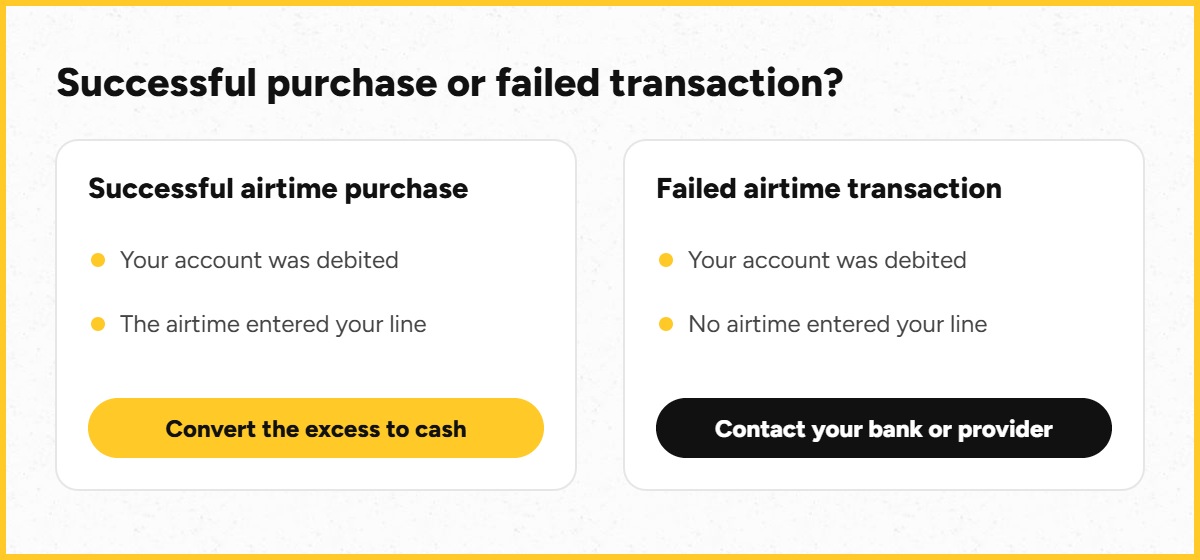
This article is mainly for the first situation.
You bought the airtime successfully. You just bought much more than you wanted.
If no airtime entered your line at all, contact your bank or payment provider instead of trying to convert airtime that you never received.
What to Do After Accidentally Buying Too Much Airtime
There is no need to start pressing different buttons in your banking app hoping the airtime will disappear. Do these things first.
1. Confirm that the airtime entered your line
Check your airtime balance and the recharge notification.
If you were debited but your balance did not increase, you may be dealing with a failed transaction rather than an accidental over-recharge.
2. Work out how much you actually wanted
Maybe you wanted ₦2,000 and bought ₦20,000. Maybe you wanted ₦5,000 and bought ₦50,000.
Knowing the exact excess amount helps you decide how much airtime you want to keep and how much you want to convert.
3. Avoid spending the portion you want to convert
If you want to convert ₦45,000 out of a ₦50,000 recharge, avoid using that part of your balance before starting the conversion process.
4. Check whether your airtime is eligible
Airtime-to-Cash services have network, amount and transaction requirements. Check these before transferring any airtime.
5. Review what you will receive before confirming
Airtime to Cash does not necessarily mean that ₦10,000 airtime will become exactly ₦10,000 cash.
There is a conversion rate or fee, so always look at the amount you will receive before you proceed.
How to Convert Excess Airtime to Cash on SnappyPay
SnappyPay Airtime to Cash is an option for people who have airtime they would rather convert into money.
Here is how the process works.
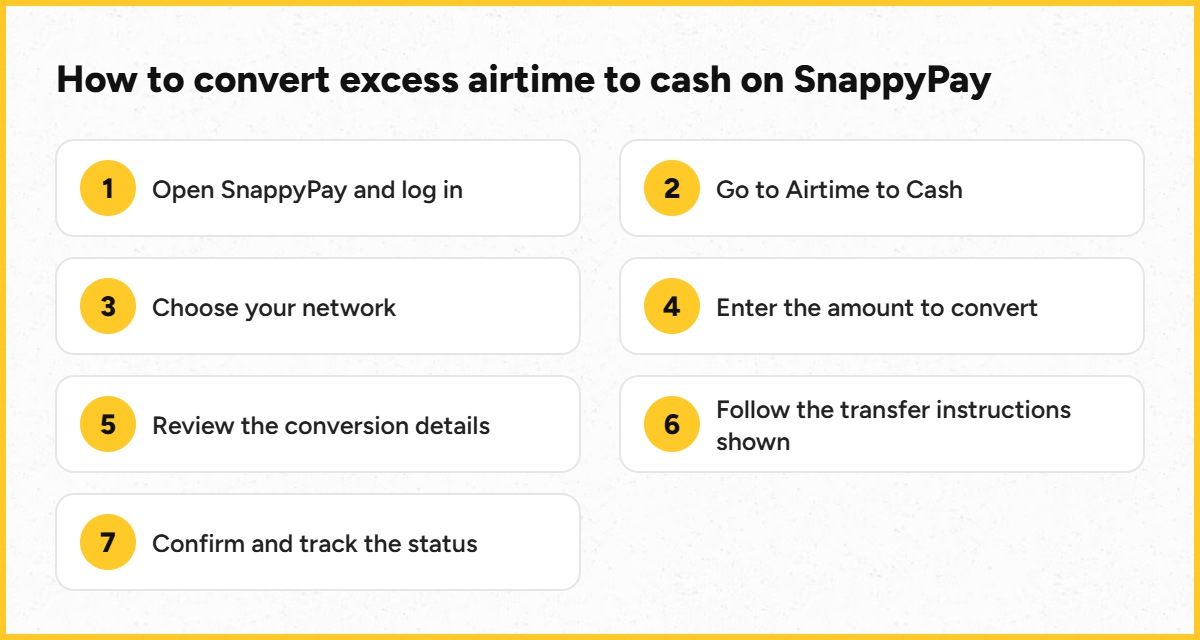
Step 1: Open SnappyPay
Open SnappyPay and log into your account. If you do not already have an account, create one and complete any required account setup.
Step 2: Go to Airtime to Cash
Select the Airtime-to-Cash option.
Step 3: Choose your network
Select the network of the airtime you want to convert. Make sure you choose the correct network.
Step 4: Enter the amount
Enter how much airtime you want to convert.
If you bought ₦50,000 when you only wanted ₦5,000, for example, you may want to keep part of the balance and convert the excess, subject to the current conversion requirements.
Step 5: Review the conversion details
Look at the amount, network and conversion details before confirming. Do not skip this step.
Step 6: Follow the instructions shown
Follow the airtime transfer instructions displayed for your transaction.
Do not transfer airtime to a random number sent to you on social media or by someone claiming they can help you recover your money.
Step 7: Confirm the conversion
Review everything again before completing the transaction. Follow the transaction status shown by SnappyPay until the process is completed.
How Much Cash Will You Receive for Your Airtime?
The amount you receive depends on the current conversion rate and the details of your transaction.
That means you should not assume that ₦20,000 airtime automatically gives you ₦20,000 cash.
Before completing the conversion, check the current conversion rate and the amount displayed, then decide whether you are comfortable with it.
Rates can change, so it is better to check the current amount when you are ready to convert than rely on an old percentage from a blog post.
Can You Convert Just the Excess Airtime?
You may not want to convert everything.
Go back to our original example. You intended to recharge ₦5,000. You accidentally recharged ₦50,000. That leaves you with ₦45,000 more airtime than you planned to buy.
Depending on the current conversion requirements, you can choose an amount based on how much airtime you actually want to keep and how much you want to convert.
Always check the current transaction requirements before starting.
Which Nigerian Networks Can You Convert Airtime From?
SnappyPay currently supports Airtime-to-Cash transactions for major Nigerian mobile networks.
| Network | Airtime-to-Cash support |
|---|---|
| MTN | Supported |
| Airtel | Supported |
| Glo | Supported |
| T2 / 9Mobile | Supported |
Does It Matter Where You Bought the Airtime?
Many accidental recharges happen while someone is using a banking app or USSD.
You may have wanted to transfer money and selected airtime instead. Or you may simply have entered one extra zero when choosing the recharge amount.
Once the airtime has been credited, what matters for conversion is whether it meets SnappyPay’s current Airtime-to-Cash requirements.
If you are unsure whether a particular type of airtime is eligible, check the current SnappyPay instructions before transferring anything. Never guess when a large amount is involved.
What If You Recharged the Wrong Phone Number?
That is a different problem.
If you wanted to recharge your own line but accidentally sent the airtime to somebody else’s number, the airtime is no longer sitting on your own line waiting to be converted.
Contact the relevant bank, payment provider or mobile network as soon as you notice the mistake. If your network does not resolve the issue, you can escalate it through the NCC complaint procedure.
Do not ask the person who received the airtime for passwords, PINs or other account information.
Is Airtime to Cash Safe?
Airtime to Cash allows eligible airtime to be converted into cash value through a supported service.
The bigger risk is using the wrong service or sending airtime to someone pretending to represent a legitimate company.
Before converting airtime:
- Make sure you are using the official website or app.
- Check the amount you are converting.
- Confirm the network.
- Review the amount you will receive.
- Never share your banking PIN, card PIN or OTP with anyone.
- Follow only the transfer details generated through the official transaction process.
If anything looks different from what you expected, stop and verify it before sending the airtime.
Common Airtime Recovery Scams to Avoid
Accidental recharge can make people act quickly because they are worried about losing money. Scammers know this.
Be careful if somebody contacts you saying things like:
- “Send the airtime to me and I will refund you immediately.”
- “I work with your bank. Send me your OTP so I can reverse it.”
- “Transfer the airtime to this number first and I will credit your account.”
Those are reasons to stop.
Your bank PIN, card PIN and OTP should never be required by a stranger to help you recover an accidental airtime purchase.
Use the official transaction process of the service you choose.
How to Avoid Accidentally Buying Too Much Airtime Again
An extra zero is easy to miss, especially when you are in a hurry.
Before confirming an airtime purchase:
- Look at the amount one more time.
- Check the phone number.
- Make sure you selected the correct service.
- Read the final confirmation screen before entering your PIN.
- For very large amounts, pause for a few seconds and check again.
That final check can save you from turning a ₦5,000 recharge into ₦50,000.
Frequently Asked Questions
Can my bank reverse airtime I bought by mistake?
If the airtime was successfully delivered, it is different from a failed airtime transaction. A failed transaction, where your account is debited but no airtime arrives, should be reported to your bank or payment provider.
I recharged ₦50,000 instead of ₦5,000. What should I do?
First, confirm that the ₦50,000 airtime entered your line. If it did, decide how much airtime you actually want to keep and check whether the excess amount qualifies for Airtime to Cash.
Can I convert airtime back to money?
Eligible airtime can be converted to cash using an Airtime-to-Cash service. The amount you receive depends on the current conversion rate and transaction requirements.
What app can convert airtime to cash in Nigeria?
SnappyPay provides an Airtime-to-Cash feature for supported Nigerian mobile networks.
Can I sell unused airtime?
If the airtime meets the current conversion requirements, eligible unused airtime can be converted rather than left sitting on your line.
Can I convert only part of my airtime?
You can choose the amount you want to convert, subject to SnappyPay’s current minimum, maximum and eligibility requirements.
Can I convert airtime bought through my banking app?
If the airtime has successfully entered your line, check whether it meets SnappyPay’s current Airtime-to-Cash requirements.
How long does Airtime to Cash take?
Processing time can depend on the transaction. Follow the status displayed by SnappyPay and contact official support if a transaction does not complete as expected.
Does SnappyPay support MTN, Airtel, Glo and T2 / 9Mobile?
Yes. The SnappyPay Airtime-to-Cash page currently lists MTN, Airtel, Glo and T2 / 9Mobile airtime as supported.
What happens if I already used some of the airtime?
Check your remaining airtime balance and the current conversion requirements. Never attempt to convert more airtime than is actually available on your line.
Accidentally Bought Too Much Airtime?
If the airtime has already entered your line and you do not need all of it, check whether the excess amount is eligible for Airtime to Cash on SnappyPay.