
Buy Bulk Airtime & Data in Nigeria
Send airtime or data to multiple numbers in one purchase. Paste numbers, pick saved beneficiaries or upload a spreadsheet, then pay once from your SnappyPay wallet.
Download SnappyPay to send your first batch.
Prefer using the web? Create a SnappyPay Account on Web
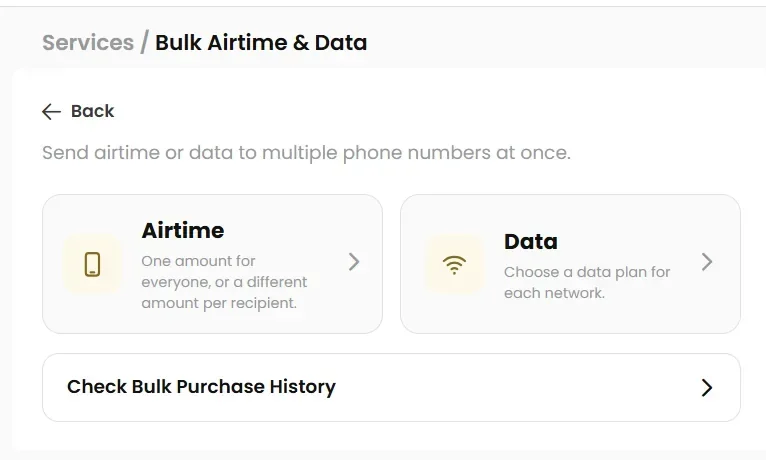
What is Bulk Airtime & Data?
SnappyPay Bulk Airtime & Data lets you send airtime or data to up to 1,000 phone numbers in Nigeria in one purchase, paid from your SnappyPay wallet. It works as a bulk recharge for staff, teams and groups.
Paying for staff or employee airtime, field-team data or a list of recipients? Prepare all the numbers together instead of repeating a separate top-up for each person.
Add numbers, review the amounts or data plans, then authorise the whole batch once.
At a glance
- Recipients per batch
- Up to 1,000
- Bulk Airtime minimum
- ₦200 per recipient
- Ways to add numbers
- Paste, saved beneficiaries, XLSX or CSV
- Paid from
- Your SnappyPay wallet
- Authorised with
- Your 4-digit Transaction PIN
Add recipients your way
Three ways to build your list. Use whichever suits the size of your batch.
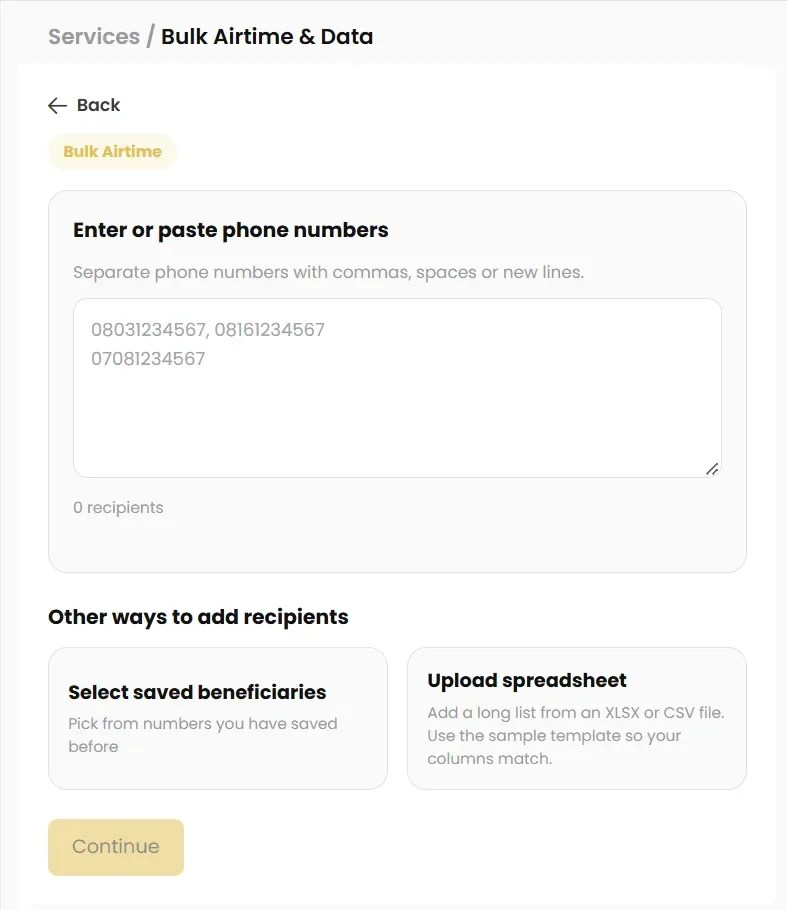
Type or paste numbers
Paste numbers separated by commas, spaces or new lines.
Saved beneficiaries
Choose recipients you have saved in SnappyPay before.
Excel or CSV upload
Download the sample template, add your recipients and import an XLSX or CSV file.
SnappyPay detects each number's network, and you can set it manually when needed, including for ported numbers. Always review detected networks before paying.
Bulk Airtime and Bulk Data
Set amounts or plans for the whole list at once, or person by person.
Bulk Airtime
Choose Same amount for everyone to give every recipient one value, or Use different amounts to set an amount for each person. Amounts from a spreadsheet can be reviewed before checkout.
Minimum ₦200 per recipient.
Buying for one number? Buy airtime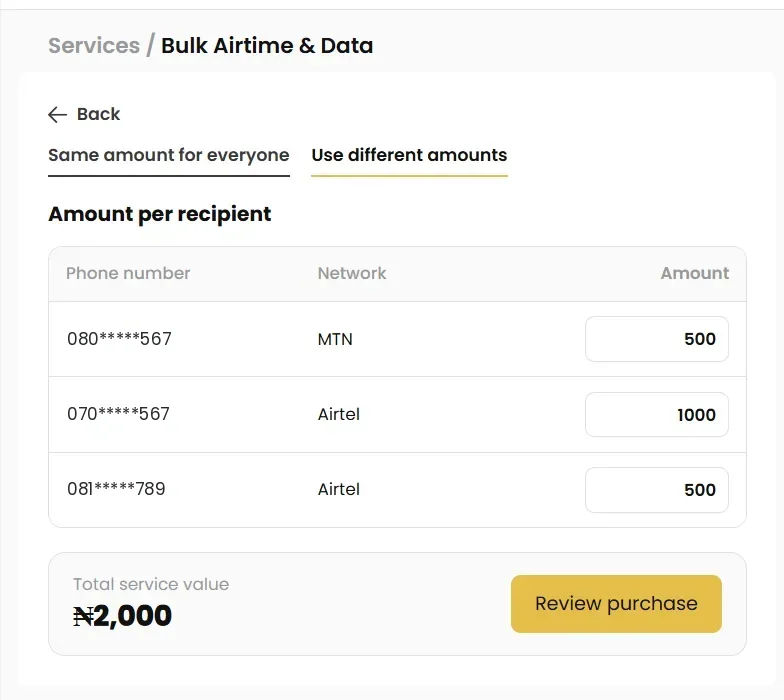
Bulk Data
Send bulk data to your team or group. Select One plan per network to choose a bundle for each network group, or Choose plans per recipient to give each number its own bundle, even on the same network.
Plans, validity and prices are shown in the app at purchase and may change.
Buying for one number? Buy data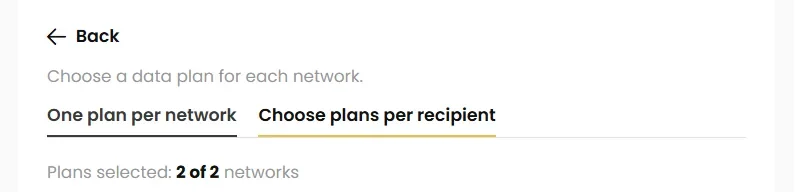
Send a batch in four steps
Everything happens in the SnappyPay app or on the web.
Choose Airtime or Data
Open Bulk Airtime & Data and pick the service.
Add recipients
Paste numbers, pick saved beneficiaries or upload a spreadsheet.
Set amounts or plans
Use one amount or plan for all, or set them per recipient.
Review and pay
Check the totals, then authorise with your 4-digit Transaction PIN.
Review everything before you pay
The review screen shows the full batch so you can catch mistakes first.
The full breakdown
Number of recipients, network breakdown, each amount or data plan, total service value and your wallet balance.
Fees and cashback
Any applicable fees and cashback depend on your purchase and are shown at checkout.
One PIN for the batch
Authorise the whole purchase once with your 4-digit Transaction PIN. Payment comes from your SnappyPay wallet.
Track every batch
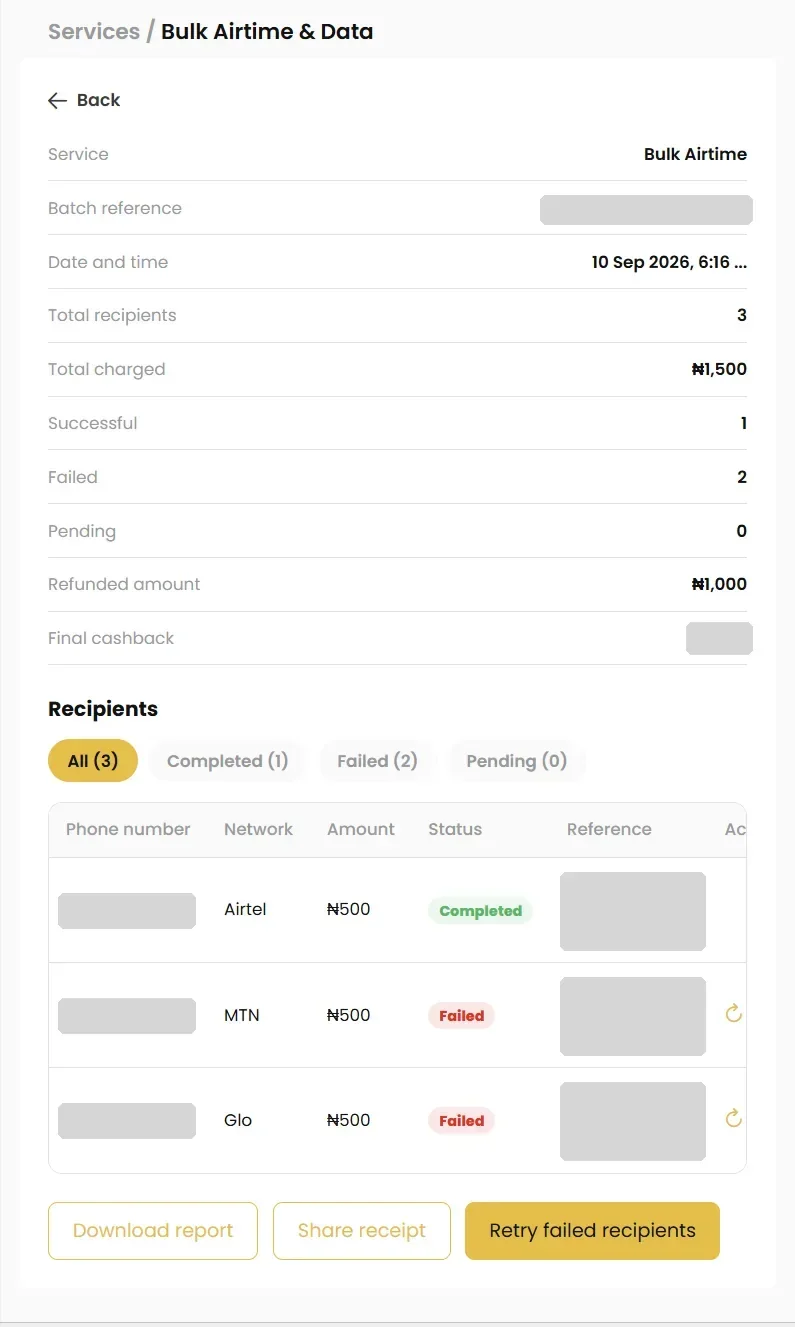
Bulk Purchase History shows each batch with its reference, date, recipients, successful, failed and pending counts, amount charged, refunds and final cashback.
- See each recipient's status
- Filter completed, failed or pending
- Retry failed recipients
- Download a report
- Share a receipt
- See refunded amounts
Amounts for failed recipients are returned according to each transaction's final status.
Who uses Bulk Airtime & Data
For anyone who buys airtime or data for more than a few people.
HR and operations
Organise monthly airtime or data allowances for staff.
Field and sales teams
Give different amounts or plans based on each person's role.
Logistics and delivery riders
Keep riders' phones topped up with airtime and data for calls, orders and navigation.
Campaigns and events
Prepare airtime or data for eligible participants in one batch.
Schools and communities
Manage top-ups for volunteers, teachers or members.
Families and households
Send airtime or data to parents, siblings and relatives in one go.
Churches and mosques
Top up airtime or data for workers, ushers and volunteers.
Estates and facility teams
Cover airtime for security guards, cleaners and maintenance staff.
NGOs and outreach
Support field officers and outreach volunteers in one batch.
Customer rewards
Reward loyal customers with airtime or data after a promo.
How to send airtime and data to multiple numbers in Nigeria
A step-by-step walkthrough, from building your list to checking results in Bulk Purchase History.
Related services
Common questions
Up to 1,000 recipients in one batch.
Yes. SnappyPay supports XLSX and CSV files and provides a sample template so your columns match.
No. You can type or paste phone numbers, or select saved beneficiaries.
Yes. Use one amount for everyone or set an amount for each person. The Bulk Airtime minimum is ₦200 per recipient.
Yes. Select Choose plans per recipient and pick a bundle for each number.
SnappyPay detects the network from each number. You can change it manually when needed, for example for ported numbers. Always check the detected networks before paying.
MTN, Airtel and Glo numbers can be added to a batch. The networks available for your numbers are shown in the app when you add recipients.
Any applicable fees and cashback are shown on the review screen before you pay, based on your purchase details.
Check Bulk Purchase History for each recipient's final status and any refunded amount. You can also use Retry failed recipients from the same screen.
Yes. Bulk Purchase History provides Download report and Share receipt options.
Yes. Use Buy Airtime or Buy Data for single top-ups, or Scheduled Payments to repeat a top-up on set dates.
Send your first bulk top-up.
Download SnappyPay, fund your wallet and send airtime or data to your whole list in one purchase.
Prefer using the web? Create a SnappyPay Account on Web