If you’re asking, “How do I monetize my YouTube channel?” the answer goes far beyond uploading videos and turning on ads. Monetization in 2026 requires meeting eligibility thresholds, understanding how YouTube actually pays, and building a strategy that goes beyond basic ad revenue.
YouTube monetization means earning revenue from your channel through ads, fan funding features, and additional income streams such as sponsorships and affiliate marketing. However, eligibility is just the first step. Sustainable income requires a strategy.
This complete guide to 2026 YouTube monetization explains eligibility requirements, including subscriber, watch hour, and Shorts view thresholds, plus policy compliance and AdSense setup. It clarifies the difference between CPM and RPM, offering realistic income expectations based on niche and audience.
What Is YouTube Monetization?
YouTube monetization is the process of earning revenue from your channel through the YouTube Partner Program (YPP) and other income streams.
Once accepted into the YouTube Partner Program (YPP), monetization opens across multiple revenue streams, which include:
1. Display and Video Ad Revenue
This is the most common monetization method. Ads appear before, during, or beside your videos, and revenue is generated based on ad impressions and viewer engagement. Earnings depend on CPM, audience location, niche, and advertiser demand. YouTube shares a percentage of ad revenue with creators, meaning performance and audience quality matter more than raw view count.
2. YouTube Shorts Ad Revenue Share
Shorts monetization pools ad revenue generated between Shorts videos and distributes it among eligible creators based on their share of total views. Because Shorts are high-volume and fast-paced, payouts per view are typically lower than long-form videos. However, strong Shorts performance can significantly boost total channel revenue when scaled.
3. Channel Memberships
Creators can offer paid monthly subscriptions to viewers in exchange for perks such as exclusive badges, members-only posts, live streams, or behind-the-scenes content. Memberships create recurring revenue, which is more predictable than ad-based earnings. This model works best for creators with loyal, engaged communities.
4. Super Chats and Super Thanks
These features allow viewers to financially support creators during live streams (Super Chat) or on regular videos (Super Thanks). Supporters pay to highlight their messages or send appreciation. Revenue depends heavily on audience loyalty and live engagement rather than total subscribers.
5. YouTube Shopping (If Eligible)
Creators can tag products directly in videos and live streams, earning commissions from sales. This integrates eCommerce into content and is especially effective for product-focused niches like beauty, tech, fashion, and fitness.
While these features provide multiple ways to earn, ad revenue alone rarely creates substantial income for most creators. Sustainable earnings typically come from layering these tools together and eventually expanding into sponsorships, affiliate partnerships, and product sales.
Requirements for YouTube Monetization in 2026
Monetization is not granted automatically when you create a channel or upload videos. It becomes available only after your channel satisfies specific performance and compliance requirements and passes YouTube’s review process.
Standard YouTube Partner Program Requirements (2026)
For full access to monetization features, creators typically need:
- At least 1,000 subscribers
- 4,000 valid public watch hours within the past 12 months
OR
- 10 million valid public Shorts views within the last 90 days (Shorts monetization pathway)
These thresholds demonstrate that your channel has built consistent audience engagement and meets YouTube’s baseline for monetization consideration.
Additional Mandatory Requirements
Beyond subscriber and view metrics, you must also:
- Comply fully with YouTube’s Community Guidelines and monetization policies
- Avoid copyright strikes, reused content violations, and misleading metadata
- Enable two-step verification on your Google account
- Create, link, and get approval for a Google AdSense account to receive payments
Important Clarifications
Reaching 1,000 subscribers alone does not qualify you for monetization. You must also meet either the public watch hour requirement or the Shorts view threshold.
Monetization is not automatic once you hit the numbers. You are required to apply formally through YouTube Studio.
Every application undergoes a manual review process. YouTube evaluates your content to ensure it is original, advertiser-friendly, and compliant with its policies.
If your channel contains reused content, copyright violations, repetitive low-value videos, or misleading titles and thumbnails, your application may be delayed or rejected. In such cases, you must correct the issues and wait before reapplying.
Meeting the metrics gets you to the door. Compliance and content quality determine whether you are allowed inside.
How to Monetize Your YouTube Channel (Step-by-Step)
Monetizing your channel follows a structured approval pathway under the YouTube Partner Program. Each stage builds on the previous one, and skipping steps is not possible. Below is the clear progression from eligibility to active earnings.
Step 1: Reach Eligibility
Before you can apply, your channel must meet YouTube’s performance thresholds. This means building your subscriber base to at least 1,000 subscribers and accumulating either 4,000 valid public watch hours in the past 12 months or 10 million valid public Shorts views within 90 days.
These metrics demonstrate audience engagement and sustained activity. Focus on consistent uploads, strong retention, and niche clarity to reach these milestones efficiently.
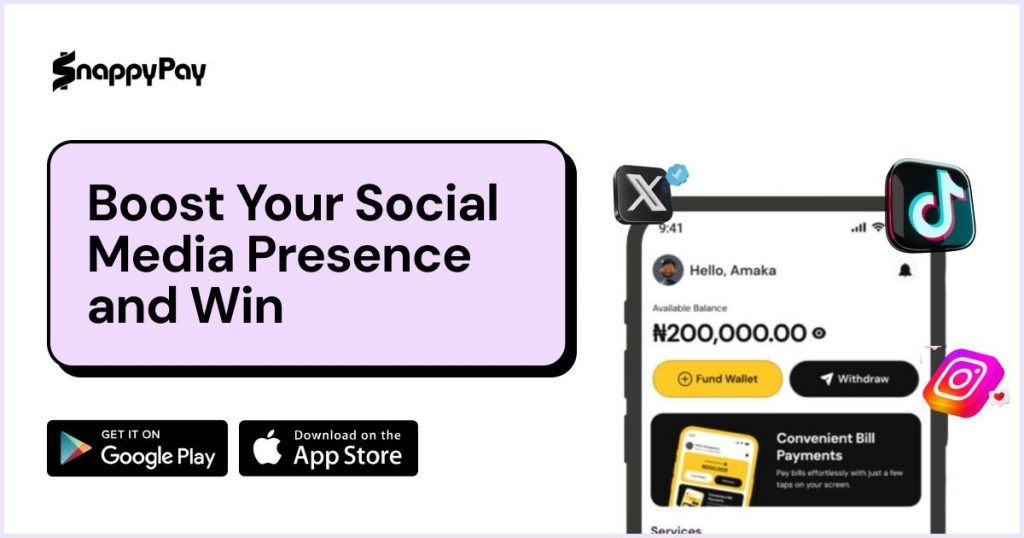
If you need a little boost to hit monetization quicker, SocialBoost Pro by SnappyPay is an ethical way to increase real followers and engagements. This tool is built to support creators’ goals in a way that aligns with YouTube’s policy.
Step 2: Apply to the YouTube Partner Program
Once you meet the requirements, you must formally apply.
Inside YouTube Studio:
- Go to Monetization
- Review the eligibility status
- Begin the application process
During this stage, you agree to YouTube’s monetization terms and prepare your channel for review. Approval is not automatic; the application triggers a manual evaluation.
Step 3: Connect Your AdSense Account
You must create or link an approved Google AdSense account. AdSense is the payment system that processes your earnings from ads, memberships, Super features, and other revenue streams.
Without an approved AdSense account, payments cannot be issued—even if your channel is approved for monetization.
Step 4: Channel Review
After submission, YouTube conducts a review of your channel. The evaluation focuses on:
- Content originality
- Compliance with monetization policies
- Community Guidelines adherence
- Overall channel activity and consistency
YouTube examines your most recent uploads and your channel as a whole. The review timeline varies and can take anywhere from a few days to several weeks, depending on application volume and policy checks.
If rejected, you will be informed of the reason and may reapply after addressing the identified issues.
Step 5: Enable Monetization Features
Once approved, monetization tools become available in YouTube Studio. You can then:
- Turn on ads for eligible videos
- Enable channel memberships
- Activate Super Chat and Super Thanks
- Access Shorts ad revenue sharing (if eligible)
At this point, monetization is officially live. However, approval does not guarantee income. Earnings depend on audience retention, CPM rates, viewer geography, niche, and overall performance.
Eligibility opens the door. Consistent performance determines how much you earn after that door is open.
How Does YouTube Pay Creators?
Many creators ask, how do I monetize my YouTube channel, but the better question is: how does YouTube actually pay? Monetization depends on eligibility rules, CPM and RPM mechanics, audience geography, and income diversification, not just views. Some of these factors are:
1. Ad Revenue Sharing Model
YouTube earns money from advertisers who place ads on videos. A portion of that advertising revenue is then shared with creators who are part of the YouTube Partner Program.
In simple terms:
- Advertisers pay YouTube.
- YouTube takes a percentage.
- The remaining share goes to the creator.
However, not every view generates an ad impression, and not every impression pays the same rate. This is where key performance metrics become important.
2. CPM (Cost Per Mille)
CPM represents the amount advertisers are willing to pay for 1,000 ad impressions.
Typical niche-based CPM estimates:
- Finance: $15–$30+
- Business/Software: $12–$25
- Education: $8–$20
- Entertainment: $2–$8
CPM reflects advertiser spending, not your take-home earnings. It can vary depending on:
- Audience location
- Seasonal advertising demand
- Viewer demographics
- Industry competition
High-value niches attract higher CPM because advertisers compete more aggressively for those audiences.
2. RPM (Revenue Per Mille)
RPM is the metric that actually matters to creators. It represents the amount you earn per 1,000 views after YouTube’s revenue share and adjustments.
RPM includes income from:
- Display and video ads
- YouTube Shorts revenue share
- Channel memberships
- Super Chats and Super Thanks
- Other monetized features
Because RPM reflects total earnings divided by total views, it gives a more realistic measure of channel performance.
If your RPM is $4 and your video receives 50,000 views, your estimated earnings would be:
50,000 ÷ 1,000 × $4 = $200
RPM is your true income indicator, not CPM.
3. Payment Structure and Timeline
YouTube revenue is calculated monthly. Earnings accumulate in your linked Google AdSense account.
Key payment details:
- Minimum payout threshold: typically $100
- Payment method: via AdSense (bank transfer or other supported methods)
- Payment timing: usually processed around the 21st of each month for the previous month’s earnings
If your balance does not reach the payout threshold, it rolls over to the next month until the minimum is met.
Understanding CPM versus RPM prevents unrealistic expectations. Views alone do not determine income; advertising demand, audience quality, and monetization mix ultimately define what lands in your account.
The YouTube Monetization Ladder (Strategic Roadmap)
How do I monetize my YouTube channel in 2026? The process follows a structured ladder to build sustainable income. Think in stages:
- Step 1 – Eligibility: Meet subscriber and watch hour requirements.
- Step 2 – Approval: Pass manual review and activate monetization.
- Step 3 – Ad Revenue Base: Generate consistent RPM through ads.
- Step 4 – Diversified Income: Add sponsorships, affiliate marketing, product sales, and digital services.
Creators who stop at ads remain dependent on YouTube’s algorithm. Creators who diversify build businesses.
How Much Money Can You Make on YouTube?
There is no universal income figure because YouTube earnings depend on multiple variables: your niche, viewer location, audience retention, content format, and how diversified your revenue streams are. Two channels with identical view counts can earn dramatically different amounts.
Average CPM Ranges by Niche (2026 Estimates)
CPM (Cost Per Mille) refers to the amount advertisers pay per 1,000 ad impressions. Higher advertiser competition typically means higher CPM.
Estimated ranges:
- Finance & Investing: $15 – $30+
- Business & Software: $12 – $25
- Education: $8 – $20
- Tech Reviews: $6 – $15
- Entertainment & Vlogs: $2 – $8
However, CPM is not your actual earnings. YouTube takes a revenue share, and not every view generates a monetized ad impression. This is why RPM (Revenue Per Mille) matters more. RPM reflects what you actually earn per 1,000 views after YouTube’s share and other factors are deducted.
Example Revenue Breakdown
If your RPM is $4 and your video receives 100,000 views:
100,000 ÷ 1,000 × $4 = $400 estimated earnings
Geography plays a significant role. Audiences in the United States, the United Kingdom, Canada, and Australia typically generate higher RPM due to stronger advertiser demand. Viewers in Tier 2 and Tier 3 regions generally produce lower RPM averages.
This explains why 50,000 views in a high-CPM finance niche can outperform 200,000 views in a low-CPM entertainment niche.
Realistic Income Expectations
These are broad monthly estimates based primarily on ad revenue:
- Small channel (1,000–5,000 subscribers): $50 – $500
- Mid-size channel (10,000–50,000 subscribers): $500 – $3,000
- Established channel (100,000+ subscribers): Highly variable depending on niche, audience geography, and income diversification
Ad revenue alone rarely creates substantial income in the early stages. Growth becomes meaningful when creators layer additional monetization streams on top of ads.
Other Ways to Earn Beyond Ads
Creators who build sustainable income treat ad revenue as foundational—not the primary objective. The most profitable channels diversify strategically.
1. Brand Sponsorships
Brands pay creators to:
- Review products
- Integrate sponsored mentions
- Produce dedicated promotional videos
Sponsorship rates are influenced more by engagement rate and niche alignment than by subscriber count alone. Even channels with 5,000–20,000 subscribers can secure partnerships if their audience is targeted and highly engaged. In many cases, one sponsorship can exceed a month of ad revenue.
2. Affiliate Marketing
Affiliate marketing allows you to earn commissions by promoting tools, software, courses, or physical products. When viewers purchase through your referral link, you receive a percentage of the sale.
This model performs especially well in:
- Tech
- Finance
- Education
- Productivity and digital tools
In high-conversion niches, affiliate income often surpasses ad revenue because earnings are tied to purchase intent rather than impressions.
3. Selling Your Own Products or Services
Owning the product significantly increases profit margins. Examples include:
- Online courses
- E-books
- Consulting services
- Digital templates
- Coaching programs
Unlike ads, which rely on volume, product sales rely on trust and authority. A smaller but loyal audience can generate substantial revenue if positioned correctly.
4. Channel Memberships
Channel memberships allow subscribers to pay a recurring monthly fee in exchange for perks such as:
- Exclusive videos
- Members-only posts
- Custom badges
- Private community access
This model creates predictable recurring revenue.
5. Super Chats and Super Thanks
These monetization tools are most effective for:
- Live streamers
- Community-driven creators
They enable viewers to financially support creators directly during live sessions or through highlighted comments.
How to Reach Monetization Requirements Faster
Reaching eligibility is not about luck. It is about leverage and strategy.
1. Choose a Clear Niche
Broad channels struggle with growth because they dilute audience expectations. A defined niche improves:
- Watch time
- Audience retention
- Subscriber conversion rate
Specific positioning builds stronger algorithm signals.
2. Optimize for Retention
YouTube prioritizes:
- High average view duration
- Strong click-through rates
- Consistent engagement
Retention is more powerful than occasional viral spikes. A video watched to 60–70% completion sends stronger signals than one with high clicks but low watch time.
3. Use Shorts Strategically
Shorts can accelerate:
- Subscriber growth
- Brand awareness
However, long-form content remains essential for accumulating watch hours and increasing ad revenue potential.
4. Maintain Consistency
Irregular uploads slow growth and weaken algorithm trust. A predictable posting schedule helps train both your audience and the recommendation system.
5. Study Analytics
Effective creators monitor:
- Audience retention graphs
- Traffic sources
- RPM trends
- Viewer demographics
Data-driven adjustments outperform guesswork.
Common Mistakes That Delay Monetization
Several issues frequently lead to delayed approval or rejection:
- Reused or compiled content without transformation
- Copyright violations or unlicensed media
- Artificial subscriber or watch-hour growth
- Low retention and weak engagement signals
- Ignoring monetization policy requirements
YouTube’s review process evaluates originality, value, and compliance. Channels that appear automated, recycled, or policy-adjacent are unlikely to gain approval quickly.
FAQs
1. How do I monetize my YouTube channel?
You must meet the YouTube Partner Program eligibility requirements, apply for approval, connect an AdSense account, and enable monetization features once approved.
2. What are the requirements for YouTube monetization?
You typically need at least 1,000 subscribers and 4,000 valid public watch hours in the past 12 months, or meet Shorts view requirements, plus comply with YouTube policies.
3. How does YouTube pay creators?
YouTube pays through ad revenue, channel memberships, Super Chats, and other monetization features, with earnings deposited via AdSense.
4. How much does YouTube pay per 1,000 views?
Earnings vary widely depending on niche, CPM, and audience location. RPM reflects actual earnings after YouTube’s revenue share.
5. How long does YouTube monetization approval take?
The review process can take days to weeks, depending on application volume and channel compliance.
6. Can I monetize YouTube Shorts?
Yes, Shorts can generate revenue through the Shorts monetization model if the eligibility criteria are met.
7. What happens if my monetization application is rejected?
You can reapply after addressing the issues identified, usually after a waiting period.
Final Takeaway
To monetize your YouTube channel in 2026, understand the progression clearly.
Eligibility is the starting point, not the goal. Approval requires strict adherence to monetization and community policies. Ad revenue forms the foundation, but it is inherently limited in early stages.
Sustainable income comes from diversification, sponsorships, affiliate marketing, product sales, memberships, and audience-backed support features.
Think in structured stages:
Eligibility → Approval → Ad Revenue → Diversified Income → Scalable Business
Creators who build systems around their content rather than relying solely on uploads position themselves for long-term, scalable success.
If you’re struggling to grow your subscribers and engagement on YouTube ethically, use SnappyPay SocialBoost Pro. The tool helps you build sustainable success on your YouTube account so that you can monetize as soon as possible. Use SnappyPay SocialBoost Pro today (Only available on the web)!