Did you know Nigeria’s gift card market is on track to hit $2.34 billion by 2026? That’s a 12.8% yearly surge fueled in part by the rising demand for iTunes gift cards. From unlocking Apple Music and Netflix to powering mobile games and in-app buys, Nigerians are tapping into iTunes cards as the digital key to global entertainment
In this guide, you’ll learn exactly how to redeem your iTunes gift card in Nigeria—step by step. We’ll also cover how to troubleshoot common errors and make sure you’re squeezing every bit of value from your card, whether it’s for streaming, gaming, or app upgrades.
What is an iTunes Gift Card Used For?
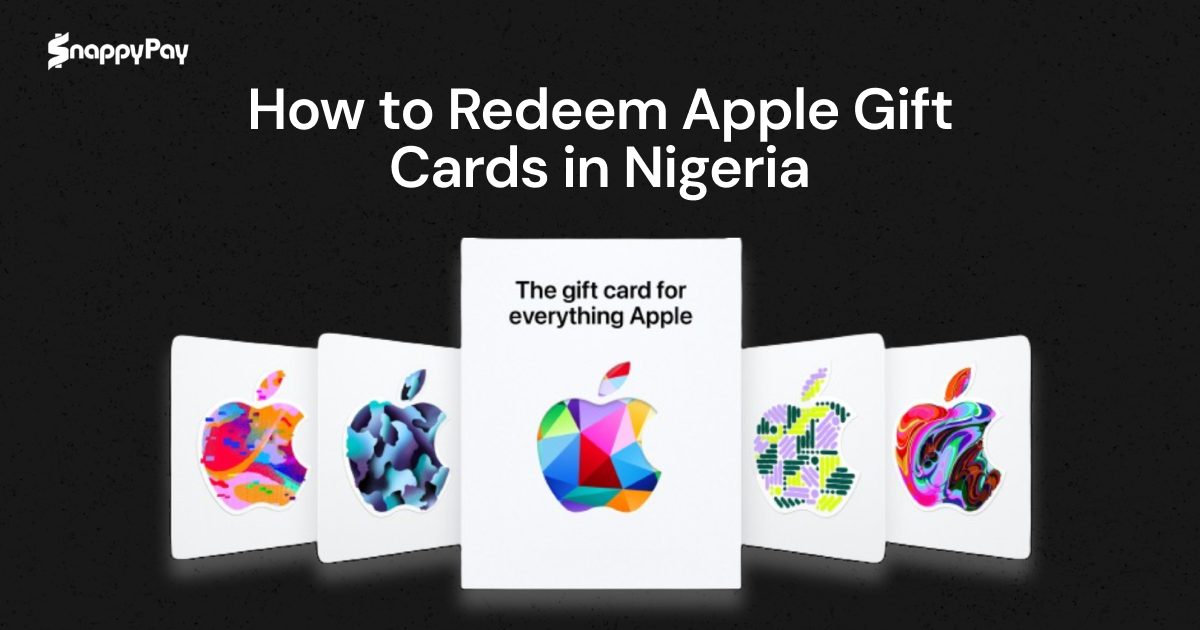
An iTunes gift card, commonly known as an Apple gift card, is a simple way to enjoy digital content in Apple’s ecosystem, especially if you don’t have access to international cards.
But what is an iTunes card used for exactly? Many Nigerians still confuse it with the Apple Store gift card, mistakenly thinking it can be used to buy iPhones or MacBooks—instead of its real use for digital purchases like apps, music, and subscriptions.
The key difference between Apple Store and iTunes gift cards is that while the former is used for purchasing physical products like iPhones or MacBooks, the latter is strictly for digital purchases, like apps, music, subscriptions, and more.
According to Apple Support, iTunes gift cards can only be used for digital purchases such as apps, music, and subscriptions, and even entertainment services like Netflix or Apple TV+, but cannot be used to buy Apple devices or accessories.
iTunes gift card makes paying for Apple Music, topping up your iCloud, grabbing a new game, or buying e-books very flexible and convenient, especially for young Nigerians who live and breathe digital content. If you’ve ever wondered what’s iTunes card used for, this is it: seamless access to everything digital in the Apple ecosystem.
Where to Buy iTunes Gift Cards in Nigeria
Choosing the right platform to buy iTunes card in Nigeria ensures you get a legitimate card with a seamless purchasing experience.
Here are some of the best platforms to buy iTunes gift cards in Nigeria:
- SnappyPay – Offers instant delivery, competitive exchange rates, and a secure transaction process to buy gift cards
- Jumia – A well-known e-commerce platform that occasionally stocks iTunes gift cards.
- Local Vendors – Some physical and online stores in Nigeria sell iTunes gift cards, though availability and pricing may vary.
Physical vs. E-code Cards
- Physical iTunes Gift Cards – These are sold in select retail stores but are often limited in stock. They come as printed cards with a scratchable section revealing the redemption code.
- E-code iTunes Gift Cards – Delivered instantly via email after purchase. This option is more convenient, secure, and widely available on trusted platforms like SnappyPay.
When buying an iTunes gift card, always ensure you’re purchasing from a reputable source to avoid issues such as invalid or already-used codes.
Types of Apple Gift Cards Available
There are different types of Apple cards, each serving a specific purpose. Understanding these differences helps you choose the right one based on your needs. They include:
1. iTunes Gift Cards
These are designed exclusively for purchasing digital content, including Apps and games from the App Store, Apple Music, Apple TV+, Movies, books, in-app purchases, and other subscriptions.
2. App Store Gift Cards
These work the same way as iTunes gift cards, allowing users to buy digital content from Apple’s ecosystem, though they may be branded differently in some regions. If you’re wondering where to buy Apple gift cards in Nigeria, several online platforms and vendors offer both digital and physical options.
Meanwhile, Apple Store gift cards are typically used for physical products and may not be redeemable for local purchases.
How to Redeem Apple Gift Card in Nigeria (Step-by-Step)
Apple ID redemption in Nigeria is simple. Here’s how to go about it:
Redeem on iPhone
- Open the App Store – Launch the App Store on your iPhone.
- Tap Your Profile Icon – Located at the top-right corner of the screen.
- Select “Redeem Gift Card or Code” – This opens the redemption page.
- Use Your Camera or Enter the Code Manually – If you have a physical card, you can scan the iTunes card code using your camera. For e-code cards, enter the code manually.
- Confirm Redemption – Once entered, your Apple ID balance will update automatically.
Redeem on Android or PC (Alternative Methods)
For users who don’t have an iPhone, Apple allows redemption via alternative platforms:
- Via iTunes on PC: Open iTunes → Sign in with your Apple ID → Click “Account” → “Redeem” → Enter the gift card code.
- Via Apple’s Website: Go to apple.com/redeem → Log in to your Apple ID → Enter the code → Click Redeem.
PRO TIP
Fixing a Scratched iTunes Card
If your iTunes gift card code is scratched or unreadable, don’t panic—there are ways to recover it.
1. Check for Partial Visibility
Sometimes, only part of the code is damaged. Try entering the visible characters and guessing the missing ones based on common iTunes card formats.
2. Contact Apple Support
If the code is completely unreadable, Apple Support can help recover it. Follow these steps:
- Visit Apple Support.
- Select “Card Issue” and choose “Damaged or Unreadable Card.”
- Provide proof of purchase and a clear image of both the front and back of the card.
- Apple will verify the details and issue a replacement if valid.
3. Contact Your Vendor
If you bought the card from an authorized seller, such as SnappyPay, reach out to their customer support. Some vendors offer refunds or replacements for damaged codes.
How to Check iTunes Gift Card Balance
After redeeming an iTunes gift card, you might want to check your remaining balance. Here’s how to do it on different devices.
1. Checking Balance on iPhone
- Open Settings and tap your Apple ID (your name at the top).
- Select Payment & Shipping.
- Your Apple ID balance will be displayed under “Apple Account.”
2. Checking Balance on iTunes (PC or Mac)
- Open the iTunes app and sign in with your Apple ID.
- Click on Account in the top menu.
- Select View My Account → Scroll down to Apple ID Balance.
3. Checking Balance on the Web
- Visit appleid.apple.com.
- Log in and check the balance under Payments & Subscriptions.
If your balance isn’t showing, ensure the card was redeemed correctly, and check for region-related issues.
Common iTunes Gift Card Errors & Fixes
Redeeming an iTunes gift card should be straightforward, but sometimes, errors occur.
Here’s how to troubleshoot the most common issues.
1. “This Code Has Already Been Redeemed”
Cause: The code has already been used on another account.
Fix:
- Check if the funds were added to your Apple ID balance by following the steps in the previous section.
- If the card was purchased from a third-party vendor, contact them to confirm its validity.
2. “Invalid Code” Error
Cause: The code was entered incorrectly or doesn’t match your Apple ID region.
Fix:
- Double-check the code for typos.
- Ensure the card was purchased for the correct region (e.g., a US iTunes card won’t work on a Nigerian Apple ID).
3. “Card Not Activated” Error
Cause: Some iTunes gift cards need activation by the seller before use.
Fix:
- If you bought it from a store, return it to the seller and request activation.
- For online purchases, contact customer support from the platform where you bought the card.
4. “This Card Cannot Be Used in Your Country”
Cause: iTunes gift cards are region-locked.
Fix:
- Use a gift card that matches your Apple ID country settings.
- Consider changing your Apple ID region (though this has restrictions, such as losing access to region-specific purchases).
If none of these solutions work, contact Apple Support for assistance.
FAQs About iTunes Gift Cards in Nigeria
1. Can I use a US iTunes gift card in Nigeria?
Yes, you can use a US iTunes gift card in Nigeria, but there are limitations. The gift card can only be redeemed in the region it was issued, meaning a US iTunes gift card must be used with a US Apple ID account. If you have a Nigerian Apple ID, you will not be able to redeem the US gift card directly unless you switch your account to the US region.
2. Why is my iTunes card not working?
It could be due to an invalid code, region mismatch, or activation issues. Double-check your code and ensure it matches your Apple ID region.
3. Where can I sell my iTunes gift card in Nigeria?
You can sell your iTunes gift card on secure platforms like SnappyPay at competitive rates.
4. Can I buy an iPhone with an iTunes gift card?
No, iTunes gift cards are only for digital purchases like apps, subscriptions, and media. To buy Apple hardware, you need an Apple Store gift card.
5. How do I know if my iTunes card is valid?
Redeem it immediately after purchase. If you receive an error, check for typos or activation issues.
6. What’s the difference between an Apple ID balance and an iTunes gift card?
An iTunes gift card is a prepaid card you redeem to fund your Apple ID balance, which can then be used for purchases.
7. Can I transfer my iTunes balance to another account?
No, Apple ID balances are non-transferable. Although you can sell them.
Conclusion
Redeeming an Apple gift card in Nigeria is simple if you follow the correct steps. Whether you’re using an iPhone, Android, or PC, ensuring your card matches your Apple ID region is key to a hassle-free redemption. If you encounter any issues, checking your code carefully and using Apple’s support channels can help resolve them quickly.