With the rapid advancement of technology, staying connected has become a necessity. From making urgent calls and managing work emails to attending online classes or staying active on social media, having sufficient airtime and data is essential.
For over 80 million Nigerians, MTN is the go-to network for seamless connectivity. But as versatile as MTN is, many users still struggle with failed recharges, delayed transactions, or confusing recharge processes.
Explore the most reliable methods on how to load MTN airtime and data in this guide and forget about failed transactions.
How to Load MTN Airtime in Nigeria
There are multiple ways to load MTN airtime in Nigeria, ranging from using USSD codes to buying airtime through apps like SnappyPay. Here are the methods, their benefits, and how to fix common errors you’d probably encounter while doing it.
1. Code to Load MTN Airtime
The code to load MTN airtime is *311*16-digit PIN#. This method is fast, requires no internet, and works on all phones. Simply dial *311*the 16-digit PIN# to recharge your account.
2. MTN On-Demand
You can also recharge using the MTN On-Demand code *904#. Here’s how to do it:
- Dial *904# on your phone’s dialer.
- Choose the “Buy Airtime” option from the on-screen menu.
- Specify the amount of airtime you want to purchase.
- Follow the prompts to complete your MTN airtime recharge.
📶 Airtel Highlight: For details on Airtel, you can check the guide in the Airtel USSD Code guide .
3. Buy MTN Airtime via SnappyPay
Step 1: Access SnappyPay
- Download the SnappyPay app from the Google Play Store or the Apple App Store.
- Or visit the SnappyPay website and log in.
Step 2: Fund Your Account
- Add funds to your SnappyPay account using your preferred payment method.
Step 3: Select Network and Amount
- Choose your network provider.
- Enter the airtime amount you want.
- Provide your phone number.
- Click the “Buy Airtime” button.
Step 4: Receive Your Airtime Instantly
- Your account will be credited immediately with the airtime.
The best part of using SnappyPay to buy airtime is that you can easily convert any excess airtime to cash if you accidentally purchase more than needed.
4. How to Recharge via a Bank App
- Download and install your bank’s mobile app from the App Store or the Play Store.
- Register if you are a new user or log in with your existing credentials.
- Locate the “Buy Airtime” or “Data” section within the app.
- Select your mobile network provider (MTN, Airtel, Glo, 9mobile). Select “For self” if you’re buying for yourself and “For others” if you’re buying for a friend.
- If you’re buying for others, enter the mobile number. Then, enter the amount you want to recharge.
- Review the transaction details and confirm.
- Enter your mobile banking PIN to complete the transaction.
5. How to Recharge Via an ATM
- Insert your debit card into the ATM and enter your PIN.
- Select the “Buy Airtime” option or a similar recharge option.
- Select your mobile network provider (MTN, Airtel, Glo, 9mobile). Select “For self” if you’re buying for yourself and “For others” if you’re buying for a friend.
- If you’re buying for others, enter the mobile number. Then, enter the amount you want to recharge.
- Confirm the transaction details.
- Wait for the transaction to process, and your phone will be recharged immediately.
Common Errors and Fixes
- Error: “Invalid PIN”
Fix: Ensure you entered the correct USSD code without spaces or extra characters. - Error: “Transaction Failed”
Fix: Confirm that you have sufficient airtime balance for the transaction or try again later. - Error: “Service Not Available”
Fix: This may be a network issue. Wait a few minutes and try again.
How to Load MTN Data Bundles
MTN provides multiple ways to buy data, including USSD codes, the myMTN app, and third-party platforms like SnappyPay. These options allow you to purchase data quickly, securely, and often at discounted rates, making it easy to stay connected.
Code to Load MTN Data
Dial *312# or *904# and follow the menu to select your desired data plan. For cheaper data purchases, dial *121#, then follow the prompt to get cheaper data
Buy MTN Data on SnappyPay
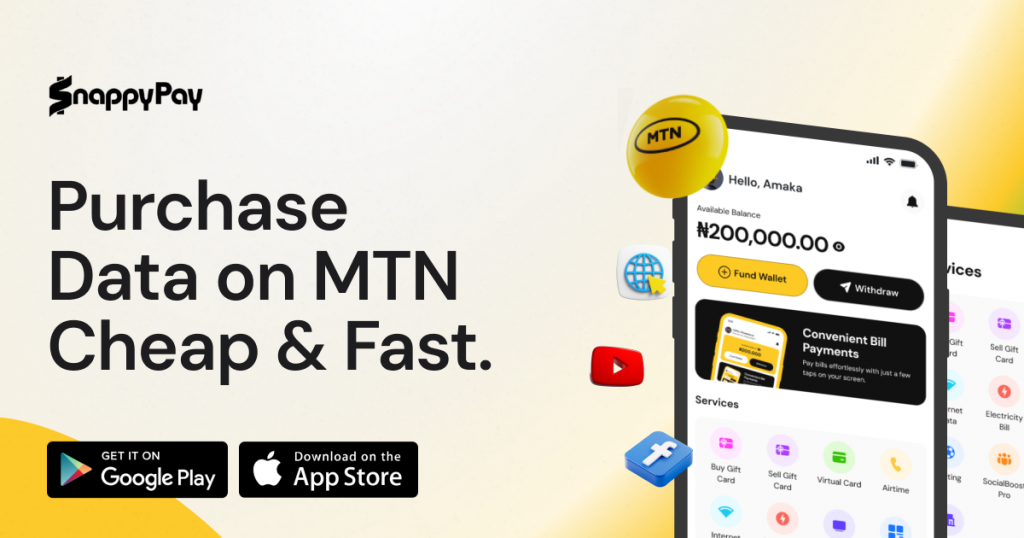
When you buy data from SnappyPay, you get more value for your money. You’ll get MTN data at cheaper rates, plus an auto-renewal feature that ensures your data can roll over. With these, you can stay connected effortlessly.
How to Buy MTN Data on SnappyPay
1. Download the App or Sign Up on the Web
Get the SnappyPay app from the Google Play Store or the Apple App Store, or simply sign up on SnappyPay.
Download SnappyPay and pay smarter in Nigeria.
Make payments quickly, stay in control, and get more done with a modern experience built around speed and simplicity.
- Fast onboarding — start in minutes
- Smooth bill payments & transfers
- Designed for individuals and businesses
2. Add Funds to Your Account
Securely fund your account using your preferred payment method.
3. Choose Your Network and Data Bundle
Select MTN as your network. Pick your preferred data bundle and enter your phone number. Then, tap the “Buy Data” button.
4. Get Connected Instantly
Your data bundle is delivered immediately. Enjoy uninterrupted browsing.
MTN Data Sharing and Gifting
With MTN Nigeria, you can share and gift data in two ways: transfer from your existing data balance or buy data bundles for others. You can also decide to use the myMTN app, dial *312# or *321#, or send a text. Staying connected has never been easier.
Transferring Data from Your Existing Balance
- Using USSD: Dial *312*PhoneNumber*DataAmount# (e.g., 31208031235678100#) or *321# and follow the prompts.
- Using SMS: Text “Transfer PhoneNumber DataAmount” to “312” (e.g., “Transfer 08031235678 100” to 312).
- Maximum Daily Transfer Limit: The maximum amount you can transfer from your data balance is 5 GB.
Buying Data Bundles for a Friend
- Using USSD: Dial *312* or *321* BundleCode*Beneficiary’sPhoneNumber#.
- Using the myMTN App: Go to the “Share” section, select “Data Share,” and follow the prompts.
You can also request data from a friend by dialing *312# and following the prompt. If you’re out of data, you can easily borrow and pay later—learn more about this option in our How to Borrow Data on MTN guide.
Pro Tips for Seamless MTN Recharges
1. Avoid Network Congestion:
Recharge during off-peak hours (early morning or late night) to avoid network delays.
2. Save USSD Codes as Contacts:
Store frequently used codes as phonebook contacts for quick access.
3. Enable Auto-Renewal for Data Plans:
Use SnappyPay or the myMTN app to activate auto-renewal, so you never run out of data.
Frequently Asked Questions (FAQs)
1. What’s the Code to Load MTN Airtime?
To load MTN airtime, dial *311* the 16-digit PIN#. Alternatively, you can load MTN airtime directly from your bank account using MTN On-Demand by dialing *904# and following the prompts.
2. Why Does My MTN Recharge Fail?
MTN airtime or data recharges can fail due to bank errors, poor network connectivity, or issues with the recharge method.
3. Can I Load MTN Airtime Online?
Yes, you can load MTN airtime online using SnappyPay. You can also use your bank’s mobile app or the official MTN website to recharge your line without a physical recharge card.
4. How Do I Check My MTN Data Balance?
To check your MTN data balance, dial *312*4# or *323# on your phone. You can also use the MyMTN app to view your data balance directly. Alternatively, you can check through MTN’s chatbot. Choose the method that suits you best.
5. Is SnappyPay Safer Than USSD?
Yes, SnappyPay is safer. It uses encryption to protect your data and ensures instant delivery, reducing failed transaction risks.
6. How to Load MTN Data for a Friend?
To transfer MTN data to a friend, dial *312*Recipient’s Number*Data Amount# (e.g., *312*08111222334*100#) or send an SMS with “Transfer Recipient’s Number Data Amount” (e.g., “Transfer 08111222334 100”) to 312. You can only transfer up to 5 GB of data per day.
7. What’s the Cheapest MTN Data Plan?
The cheapest MTN data plan is the 25MB daily plan for ₦25, valid for 24 hours and ideal for browsing and social media. For longer use, there’s a 50MB 2GO Weekly Plan for ₦50, valid for seven days. Night users can also explore the affordable MTN night plans.
Conclusion
The best ways to transfer MTN data include USSD codes, the SnappyPay app, and direct bank transfers. Each method offers convenience, but SnappyPay stands out with its 99.9% success rate, ensuring smooth and reliable transactions.
Use SnappyPay Today To Avoid Failed Recharges And Load MTN Airtime Or Data Instantly With 99.9% Success Rate.
Recharge MTN on SnappyPay Now![How to Share Data on MTN in 2026 [All Methods]](https://cms.snappypay.ng/wp-content/uploads/2025/02/How-to-Share-Data-on-MTN.jpeg)
![How to Buy Data on MTN in Nigeria [The Complete Guide]](https://cms.snappypay.ng/wp-content/uploads/2025/03/How-to-Buy-Data-on-MTN-in-Nigeria.png)
![How to Borrow Data on MTN [Complete 2026 Guide]](https://cms.snappypay.ng/wp-content/uploads/2025/03/How-to-Borrow-Data-on-MTN.png)