
Virtual Cards and Online Payments
How to Pay for Amazon Prime Video Subscription in Nigeria (2026 Guide)
Amazon Prime Video has become one of the most popular streaming platforms in Nigeria, offering exclusive movies, TV shows, and original content that keep viewers hooked. However, many Nigerians face challenges when trying to pay for their Amazon Prime Video subscription due to FX restrictions and unreliable payment methods. If you’re wondering how to enjoy seamless streaming on Amazon Prime without the hassle, this guide is for you.
In this article, you’ll learn how much is Prime Video subscription in Nigeria, the step-by-step process to pay for your subscription using Nigerian debit cards, virtual dollar cards, and other methods, and of course, tips to ensure a smooth experience. Let’s dive in!
What is Amazon Prime Video?
Amazon Prime Video is a streaming service offered by Amazon com ng (Amazon Nigeria) that provides access to thousands of movies, TV shows, and exclusive Amazon Originals like The Boys and Jack Ryan. Most importantly, it’s available in Nigeria and offers a user-friendly interface, high-quality streaming, and the ability to download content for offline viewing.
Compared to other platforms like Netflix and Showmax, Amazon Prime Nigeria stands out with its competitive pricing and exclusive content. Whether you’re a fan of Nollywood, Hollywood, or international series, Amazon Prime Video has just what you need.
How Much Is Prime Video Subscription in Nigeria?
If you’re wondering how much is Prime Video subscription is, here’s a breakdown of the costs:
- Monthly fee: ₦2,300
- Annual fee: Not currently available in Nigeria
- Free trial: 7 days
When compared to other streaming platforms, Amazon Prime Video offers great value for money. For instance, Netflix’s basic plan starts at ₦3,600 per month, while Showmax costs ₦2,900 monthly. With Amazon Prime Video, you get access to a vast library of interesting movies and shows at a more affordable price.
How to Pay for Amazon Prime Video Subscription in Nigeria
Paying for your Amazon Prime Video subscription in Nigeria is easier than you think. Follow these steps:
Step 1: Create an Amazon Account
- Visit Amazon com Nigeria (amazon.com.ng).
- Click on “Account & Lists” and select “Start here” to create a new account.
- Enter your name, email, and password, then click on “Create your Amazon account.”
- Verify your email address to complete the process.
Tip: Use a strong password and enable two-factor authentication for added security.
Step 2: Choose Your Amazon Prime Plan
- Log in to your Amazon account.
- Go to the Prime Video section and click on “Try Prime.”
- Select your preferred plan (monthly or annual, if available).
Note: The monthly plan is currently the only option in Nigeria.
Step 3: Set Up a Payment Method
Option 1: Nigerian Debit/Credit Cards
Some Nigerian banks like Guaranty Trust Bank, Zenith Bank, and Access Bank allow their cards to be used for international payments. However, challenges like FX fluctuations and failed transactions are common.
Tip: Ensure your card is enabled for international transactions and has sufficient funds.
Option 2: Domiciliary Cards
If you have a USD-denominated card, you can use it to pay for your subscription. This method has a higher success rate compared to Nigerian debit cards. However, they still fail for some transactions.
Option 3: Virtual Dollar Cards
Virtual dollar cards, like those offered by SnappyPay, are highly recommended for the most seamless payments. Here’s how to use them:
- Visit SnappyPay and create an account.
- Fund your virtual card with USD.
- Use the card details to pay for your Amazon Prime Video subscription.
Why choose SnappyPay? It’s reliable, affordable, and designed for Nigerians who face challenges with international payments. It also provides top-notch services for DSTV subscriptions and trading gift cards online.
Other reasons SnappyPay stands out as the most convinient and secure platform:
- Seamless International Payments: SnappyPay virtual dollar cards are designed to overcome FX restrictions, ensuring your payment goes through without unexpected failures.
- Fast Funding and Payment: Once you fund your SnappyPay card, you can complete your subscription payment quickly, avoiding delays or failed transactions.
- Low Transaction Fees: Compared to bank debit cards and domiciliary accounts, SnappyPay charges minimal fees, helping you save money while subscribing.
- All-in-One Streaming Solution: Besides Amazon Prime Video, you can pay for DStv, GOtv, Netflix, and other platforms using the same SnappyPay account, making it a one-stop payment solution.
- Safe and Secure: SnappyPay uses advanced encryption to protect your card details and personal information, giving you peace of mind while making online payments.
Using SnappyPay eliminates the frustration that comes with failed international payments and ensures you never miss your favorite shows.
Option 4: Amazon Gift Cards
You can also use Amazon gift cards to pay for your subscriptions. Platforms like SnappyExchange sell gift cards that can be redeemed on Amazon.
Step 4: Complete the Subscription Process
- Enter your payment details and confirm the transaction.
- Once payment is successful, your subscription will be activated.
- Start streaming your favorite shows on Amazon Prime Video!
Tips for Seamless Amazon Prime Video Subscription in Nigeria
- Ensure your payment method is funded with sufficient USD.
- Use a virtual dollar card that works for international payments, such as the SnappyPay virtual card.
- Monitor your subscription renewal dates to avoid interruptions.
Frequently Asked Questions
1. Can I use a Nigerian debit card to pay for Amazon Prime Video?
Yes, but success rates vary due to FX restrictions.
2. What is the cost of Amazon Prime Video in Nigeria?
The monthly subscription costs ₦2,300, with a 7-day free trial.
3. Can I use a virtual dollar card to pay for Amazon Prime Video?
Yes, virtual dollar cards like SnappyPay are highly recommended for seamless payments.
4. Are there any hidden fees when paying for Amazon Prime Video Subscription?
Be aware of transaction charges from your bank or card provider.
5. Can I share my Amazon Prime Video subscription with family?
Yes, Amazon allows sharing with up to 2-3 users.
Conclusion
Paying for your Amazon Prime Video subscription in Nigeria doesn’t have to be stressful. By following this guide, you can easily set up your account, choose a payment method, and start enjoying exclusive content. For the most reliable experience, consider using SnappyPay’s virtual dollar card service.
Download SnappyPay and pay in seconds.
Don’t forget to share this article with friends or leave a comment if you have any questions!
Useful Links:
Tags
Recent Post
What Is SnappyPay and How Do You Use It?
Meet Onize, Our SnappyPay Student Ambassador
Fake SnappyPay Support and OTP Scams: How to Stay Safe
How to Change or Reset Your MTN Airtime Transfer PIN in 2026
Accidentally Recharged Too Much Airtime? How to Convert Excess Airtime to Cash in Nigeria
How to Avoid Steam Gift Card Scams in 2026
Steam Gift Card Not Working? Here’s How to Fix It
Steam card vs iTunes card: Which Pays More in Nigeria?
Tags Cloud
Related Posts
Starlink Subscription Prices in Nigeria (2026) – Plans and How to Subscribe
According to the NewSpace Africa Industry Report, Starlink has become Nigeria’s second-...
How Much Is Netflix Subscription in Nigeria?
Netflix Nigeria prices surged by 40% in 2025. Here’s how to choose the best plan withou...
How to Pay for Apple Music Subscription in Nigeria (2026 Guide)
Apple Music has become one of the most popular streaming platforms in the world, offeri...
How to Pay for Google Ads in Nigeria (2026 Guide)
Running Google Ads is one of the smartest ways to reach your audience and grow your bus...
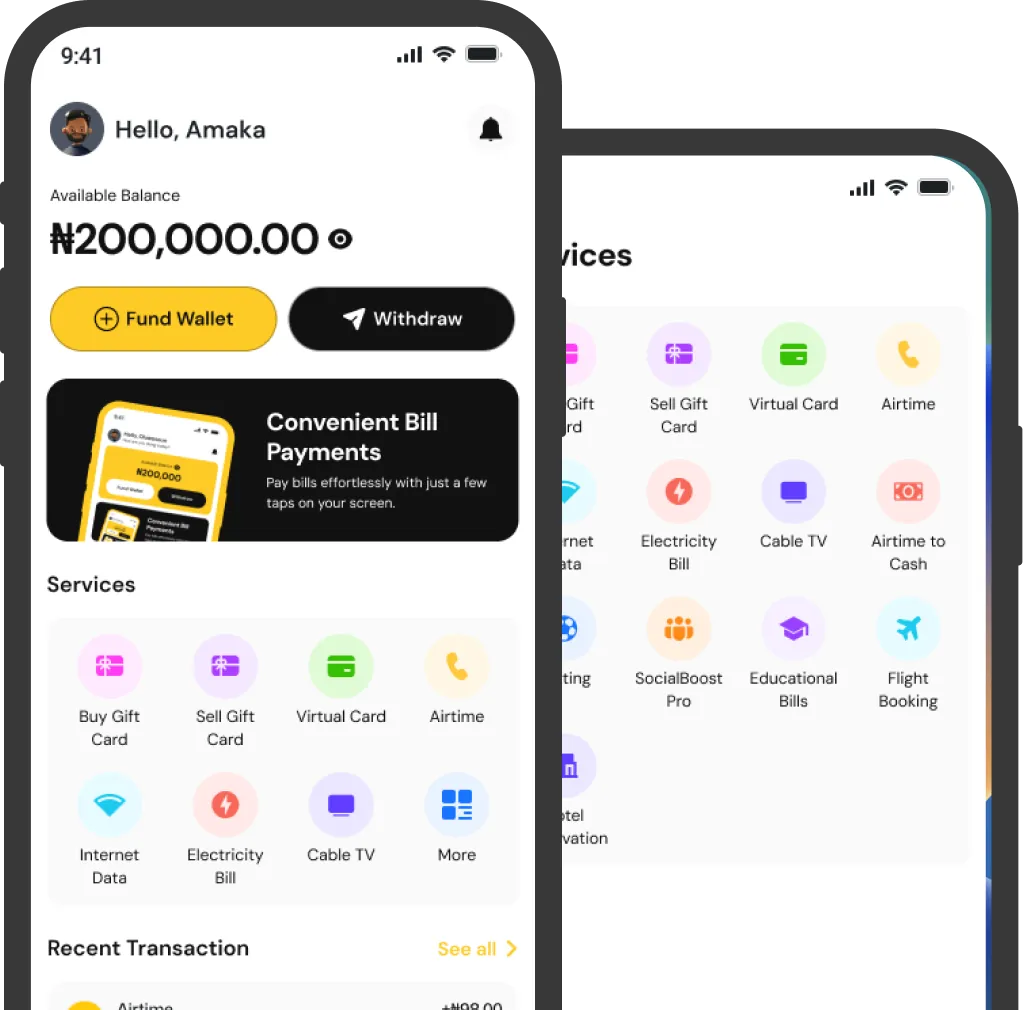
Download The App
Experience the best of Snappypay on your phone or tablet. Available for iOS and Android operating systems.